Class Entity
Hierarchy (View Summary)
- Renderable
- Entity
Index
Constructors
Properties
Accessors
Methods
Constructors
constructor
-
new Entity(
x: number,
y: number,
settings: {
anchorPoint?: string | Vector2d | { x: number; y: number };
bodyDef?: object;
collisionMask?: number;
frameheight?: number;
framewidth?: number;
height: number;
id?: string;
image?:
| string
| (new (width?: number, height?: number) => HTMLImageElement);
name?: string;
shapes?: Rect[] | Polygon[] | Line[] | Ellipse[];
type?: string;
width: number;
},
): EntityParameters
- x: number
the x coordinates of the entity object
- y: number
the y coordinates of the entity object
- settings: {
anchorPoint?: string | Vector2d | { x: number; y: number };
bodyDef?: object;
collisionMask?: number;
frameheight?: number;
framewidth?: number;
height: number;
id?: string;
image?:
| string
| (new (width?: number, height?: number) => HTMLImageElement);
name?: string;
shapes?: Rect[] | Polygon[] | Line[] | Ellipse[];
type?: string;
width: number;
}Entity properties, to be defined through Tiled or when calling the entity constructor
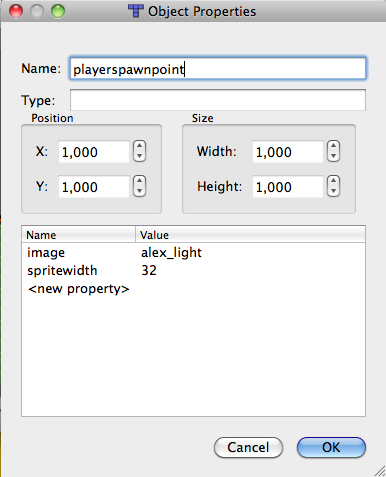
-
OptionalanchorPoint?: string | Vector2d | { x: number; y: number }Entity anchor point. Also accepts the named presets
"center","top","bottom","left","right","top-left","top-right","bottom-left","bottom-right". -
OptionalbodyDef?: objectadapter-portable body definition, see Renderable#bodyDef. Its shapes resolve when the entity joins the world, so they cannot size it: pass
settings.width/settings.height -
OptionalcollisionMask?: numberMask collision detection for this object
-
Optionalframeheight?: numberheight of a single frame in the given spritesheet
-
Optionalframewidth?: numberwidth of a single frame in the given spritesheet
-
height: number
the physical height the entity takes up in game
-
Optionalid?: stringobject unique IDs
-
Optionalimage?: string | (new (width?: number, height?: number) => HTMLImageElement)resource name of a spritesheet to use for the entity renderable component
-
Optionalname?: stringobject entity name
-
Optionalshapes?: Rect[] | Polygon[] | Line[] | Ellipse[]the initial list of collision shapes (usually populated through Tiled)
-
Optionaltype?: stringobject type
-
width: number
the physical width the entity takes up in game
-
Returns Entity
- x: number
Properties
alive
dead/living state of the entity
default value : true
alpha
Define the renderable opacity
Set to zero if you do not wish an object to be drawn
Opacity cascades: it is multiplied with the alpha already on the
renderer, so fading a Container fades everything inside it,
and a child at alpha 0.5 inside a parent at 0.5 draws at 0.25.
Each renderable keeps its own value — the composition happens at
draw time, and is undone when the renderable is done.
That is different from Container#setChildsProperty, which
assigns a value onto the children themselves. Use alpha to fade a
subtree, and setChildsProperty to change what the children are.
always
Whether the renderable object will always update, even when outside of the viewport
ancestor
a reference to the parent object that contains this renderable
anchor
The anchor point is used for attachment behavior, and/or when applying transformations.
The coordinate system places the origin at the top left corner of the frame (0, 0) and (1, 1) means the bottom-right corner

a Renderable's anchor point defaults to (0.5,0.5), which corresponds to the center position.
Note: Object created through Tiled will have their anchorPoint set to (0, 0) to match Tiled Level editor implementation.
To specify a value through Tiled, use a json expression like json:{"x":0.5,"y":0.5}, or (since 19.9) a plain string preset such as bottom.
At construction time, settings.anchorPoint also accepts the named presets
"center", "top", "bottom", "left", "right", "top-left", "top-right",
"bottom-left", "bottom-right" on every renderable that consumes it
(Sprite, Entity, Collectable, ImageLayer, Text, BitmapText, Sprite3d and subclasses).
Note: a body's collision shapes are measured from the same frame this
places the renderable in, so a shape of Rect(0, 0, width, height) covers the
renderable whatever the anchor is (since 20.7; before that shapes were measured
from pos regardless, and a non-corner anchor collided where it was not drawn).
A shape's own pos still offsets it inside that frame. A renderable that has
cleared Renderable#applyAnchorTransform takes no offset at all, on the
drawing or on its shapes. Note also that the adapters read the anchor when the
body is created, so changing it afterwards moves the drawing but not an
already-built body.
apply
Whether Renderable#preDraw applies the Renderable#anchorPoint offset to the renderer transform.
When true (the default), the renderable is shifted by
-anchorPoint × (width, height) so its anchor — not its top-left
corner — aligns with its position. Correct for sprites and other 2D
renderables.
Set to false for a renderable that emits its own final world
coordinates and takes its origin from geometry rather than a bounds
box — e.g. a Mesh on the Camera3d world-space path (a 3D
mesh is positioned by its transform and has no anchor). The WebGL mesh
batcher reuses this same renderer transform as its view matrix,
so applying the normalized anchor there would shift every mesh by
half its OWN bounds box; because scene meshes size that box per node,
props and the platforms they rest on would drift apart and overlap.
auto
When enabled, an object container will automatically apply any defined transformation before calling the child draw method.
Example
// enable "automatic" transformation when the object is activated
onActivateEvent: function () {
// reset the transformation matrix
this.currentTransform.identity();
// ensure the anchor point is the renderable center
this.anchorPoint.set(0.5, 0.5);
// enable auto transform
this.autoTransform = true;
....
}
blend
the blend mode to be applied to this renderable — any of the modes listed on CanvasRenderer#setBlendMode, honoured identically by every renderer
body
the renderable physics body — the handle returned by the
active PhysicsAdapter's addBody (or constructed
imperatively via new Body(...)). Typed as the portable
PhysicsBody interface; cast to the adapter-specific
concrete type (MatterAdapter.Body, BuiltinAdapter.Body, or
the legacy Body class) to reach native fields.
Example
// define a new Player Class
class PlayerEntity extends me.Sprite {
// constructor
constructor(x, y, settings) {
// call the parent constructor
super(x, y , settings);
// define a basic walking animation
this.addAnimation("walk", [...]);
// define a standing animation (using the first frame)
this.addAnimation("stand", [...]);
// set the standing animation as default
this.setCurrentAnimation("stand");
// add a physic body
this.body = new me.Body(this);
// add a default collision shape
this.body.addShape(new me.Rect(0, 0, this.width, this.height));
// configure max speed, friction, and initial force to be applied
this.body.setMaxVelocity(3, 15);
this.body.setFriction(0.4, 0);
this.body.force.set(3, 0);
this.isKinematic = false;
// set the display to follow our position on both axis
app.viewport.follow(this, app.viewport.AXIS.BOTH);
}
...
}
body
Declarative body definition consumed by the active
PhysicsAdapter when this renderable is added to a
container. Adapter API only — leave undefined if you
build a body imperatively via this.body = new Body(...).
When set, the parent container forwards it to
world.adapter.addBody(this, this.bodyDef), which constructs
the underlying physics body (matter, builtin SAT, …) and
assigns the engine-portable wrapper to this.body. This is
the engine-portable path: the same bodyDef produces an
equivalent body under any adapter.
Typical fields: type ("static"/"dynamic"/"kinematic"),
shapes, collisionType, collisionMask, restitution,
frictionAir, density, gravityScale, isSensor,
maxVelocity, fixedRotation. See BodyDefinitionInit.
shapes is normally a list of collision shapes, but it can also
name a collision shape file preloaded as JSON, paired with id
naming the body to read out of it. The file is resolved before any
adapter sees the definition, so the same one works unchanged on
every backend.
Example
// a shape authored in code
this.bodyDef = {
type: "dynamic",
shapes: [new me.Rect(0, 0, this.width, this.height)],
};
Example
// shapes drawn in a physics-shape editor, preloaded as JSON with
// { name: "shapes", type: "json", src: "data/physics/shapes.json" }
this.bodyDef = { type: "dynamic", shapes: "shapes", id: "hotdog" };
// the density, friction and bounce the shapes were authored with
// come with them, unless the definition states otherwise (each is
// honoured by whichever backends support it):
this.bodyDef = {
type: "dynamic",
shapes: "shapes",
id: "hotdog",
restitution: 0.9, // wins over whatever the file carries
};
Optionalcollision
Optionalcollision
Optional per-shape collision settings, honoured by Body#addShape
and defaulted there. Declared rather than initialized: the body writes
them when the shape joins it, so a class field here would emit an
undefined own property on every shape ever built. See addShape for
the table of defaults and what each one does.
current
the renderable transformation matrix (4x4).
For standard 2D use, only the 2D components are used (rotate around Z, scale X/Y, translate X/Y).
For 3D use (e.g. Mesh), the full 4x4 matrix supports rotation around any axis,
3D translation, and perspective projection.
Use the rotate(), scale(), and translate() methods rather than modifying this directly.
edges
The edges here are the direction of the nth edge of the polygon, relative to
the nth point. If you want to draw a given edge from the edge value, you must
first translate to the position of the starting point.
floating
If true, this renderable will be rendered using screen coordinates, as opposed to world coordinates. Use this, for example, to define UI elements.
GUID
(G)ame (U)nique (Id)entifier"
a GUID will be allocated for any renderable object added
to an object container (including the app.world container)
id
object unique ID (as defined in Tiled)
indices
a list of indices for all vertices composing this polygon, filled in by Polygon#getIndices and invalidated by Polygon#recalc.
A subclass may repurpose this name for geometry of its own: a
Mesh holds a GPU index buffer here, a typed array rather than a
plain one. recalc therefore only clears the slot when it owns it —
anything else reading it should check what it got.
Optionalis
false takes this shape out of collision without removing it
is
when true the renderable will be redrawn during the next update cycle
is
If true then physic collision and input events will not impact this renderable
is
make the renderable object persistent over level changes
Optionalis
true reports contacts but skips the position correction
mask
A mask limits rendering elements to the shape and position of the given mask object. So, if the renderable is larger than the mask, only the intersecting part of the renderable will be visible.
name
The name of the renderable
on
an event handler that is called when the renderable leave or enter a camera viewport
points
Array of points defining the Polygon
Note: If you manually change points, you must call recalcafterwards so that the changes get applied correctly.
pos
origin point of the Polygon
post
whether a single post effect on this renderable needs an offscreen capture instead of the renderer's shader-swap fast path.
One effect is normally applied by drawing the renderable with the
effect's own program rather than capturing and post-processing it,
which costs no render target. That is only equivalent when everything
the renderable draws is a textured quad. fillRect and the shape
dispatch go through a batcher that never looks at that shader, so a
single effect on a renderable that draws with primitives silently
does nothing. Set this and the capture is used instead, at the cost
of a render target while the effect is active.
Two or more effects always capture, so this only ever changes the single-effect case.
post
the list of post-processing shader effects applied to this renderable (GPU backends — WebGL and WebGPU). Effects are applied in order. Use addPostEffect, getPostEffect, and removePostEffect to manage effects, or assign directly. On the Canvas renderer effects stay inert (the scene keeps rendering un-effected).
type
The shape type (used internally).
update
Whether to update this object when the game is paused.
On a container it covers everything under it: a child steps through a pause on its own opt-in or on one from any container above it, so a pause menu flags itself once and its nested labels follow.
visible
If true, this floating renderable will be rendered by all cameras (e.g. background image layers). If false (default), floating elements are only rendered by the default camera (e.g. UI/HUD elements). Only applies to floating renderables in multi-camera setups.
Accessors
bottom
-
get bottom(): number
bottom coordinate of the Rectangle
Returns number
center
-
get centerX(): number
absolute center of this rectangle on the horizontal axis
Returns number
-
set centerX(value: number): void
Parameters
- value: number
Returns void
center
-
get centerY(): number
absolute center of this rectangle on the vertical axis
Returns number
-
set centerY(value: number): void
Parameters
- value: number
Returns void
depth
-
get depth(): number
the depth of this renderable on the z axis
Returns number
-
set depth(value: number): void
Parameters
- value: number
Returns void
height
-
get height(): number
height of the Rectangle
Returns number
-
set height(value: number): void
Parameters
- value: number
Returns void
in
-
get inViewport(): boolean
-
set inViewport(value: boolean): void
Parameters
- value: boolean
Returns void
is
-
get isFlippedX(): boolean
is
-
get isFlippedY(): boolean
is
-
get isFloating(): boolean
left
-
get left(): number
The left coordinate of the Rectangle.
Returns number
parent
-
returns the parent application (or game) to which this renderable is attached to
Returns Application
the parent application or undefined if not attached to any container/app
renderable
-
The entity renderable component (can be any objects deriving from me.Renderable, like me.Sprite for example)
Returns Renderable
-
Parameters
- value: Renderable
Returns void
right
-
get right(): number
right coordinate of the Rectangle
Returns number
shader
-
Returns ShaderEffect | GLShader | undefined
Deprecated
since 19.2.0 — use addPostEffect / getPostEffect / removePostEffect instead
-
Parameters
- value: ShaderEffect | GLShader | undefined
Returns void
tint
-
define a tint for this renderable. a (255, 255, 255) r, g, b value will remove the tint effect.
Returns Color
-
Takes a Color to copy, or a CSS colour string.
It COPIES rather than holds, so a caller that goes on mutating what it passed does not steer this renderable's tint by accident. What the getter hands back is always a
Color, whichever form went in.Parameters
- value: string | Color
the colour to tint with
Returns void
- value: string | Color
top
-
get top(): number
top coordinate of the Rectangle
Returns number
width
-
get width(): number
width of the Rectangle
Returns number
-
set width(value: number): void
Parameters
- value: number
Returns void
Methods
add
-
Add a post-processing shader effect to this renderable.
Parameters
- effect: ShaderEffect | GLShader
the effect to add
Returns ShaderEffect | GLShader
the added effect
- effect: ShaderEffect | GLShader
angle
-
return the angle to the specified target
Parameters
- target: Vector2d | Vector3d | Renderable
Returns number
angle in radians
center
-
center the rectangle position around the given coordinates
Parameters
- x: number
the x coordinate around which to center this rectangle
- y: number
the y coordinate around which to center this rectangle
Returns Entity
this rectangle
- x: number
clear
clone
contains
-
Returns true if the polygon contains the given point.
(Note: it is highly recommended to first do a hit test on the corresponding
bounding rect, as the function can be highly consuming with complex shapes)Parameters
- x: number
x coordinate or a vector point to check
- y: number
y coordinate
Returns boolean
True if the polygon contain the point, otherwise false
- x: number
-
Returns true if the polygon contains the given point.
(Note: it is highly recommended to first do a hit test on the corresponding
bounding rect, as the function can be highly consuming with complex shapes)Parameters
- vector: Vector2d
Returns boolean
True if the polygon contain the point, otherwise false
contains
-
Returns true if the rectangle contains the given rectangle
Parameters
- rectangle: Rect
rectangle to test
Returns boolean
True if the rectangle contain the given rectangle, otherwise false
- rectangle: Rect
copy
distance
-
return the distance to the specified target
Parameters
- target: Vector2d | Vector3d | Renderable
Returns number
distance
draw
equals
-
Check if this rectangle is identical to the specified one.
Parameters
- rect: Rect
Other rectangle.
Returns boolean
true if equals
- rect: Rect
flip
-
flip the renderable on the horizontal axis (around the center of the renderable)
Parameters
Optionalflip: boolean = truetrueto flip this renderable.
Returns Renderable
Reference to this object for method chaining
flip
-
flip the renderable on the vertical axis (around the center of the renderable)
Parameters
Optionalflip: boolean = truetrueto flip this renderable.
Returns Renderable
Reference to this object for method chaining
get
-
Where this renderable IS in the game world — its own
posplus every ancestor's, as a Vector3d so the z component is summed across the chain too (important for Camera3d's frustum culling, which previously readobj.depth— localpos.z— and mis-culled children nested under a container with its own non-zero depth).Reach for this for anything positional: culling, distance checks, hit tests, placing one renderable relative to another. It is cheap, and it is what the engine's own culling uses.
Reach for Renderable#getWorldTransform instead when a position is not enough — when rotation, scale or flip along the ancestor chain matters, or when you need to map an arbitrary point rather than just the origin. This method sums translations only, so under a rotated or scaled ancestor it reports where the renderable's pivot is and nothing about how its content is oriented.
Note the two also frame the question differently. This one is "where am I";
getWorldTransform()is "what space is my content drawn in". For a Container those coincide, because a container offsets its children by its own position. For a leaf they differ by exactly that position, which a leaf applies inside its owndraw().The returned vector is pooled and reused — copy it if you need to hold onto the value across another call.
Returns Vector3d
this renderable's absolute position
get
get
-
returns a list of indices for all triangles defined in this polygon
Returns number[]
an array of vertex indices for all triangles forming this polygon.
Protectedget
-
ProtectedAn entity replaces Renderable#preDraw wholesale — no flip, no conjugation, no anchor offset, just its position biased by the body bounds — so the inherited composition would describe a transform this class never applies. Mirrors the
preDrawabove instead.Parameters
- out: Matrix3d
matrix to write into
Returns Matrix3d
out, for chaining - out: Matrix3d
get
-
get the renderable alpha channel value
This is the renderable's OWN value. What it finally draws at is this multiplied by every ancestor's — see Renderable#alpha.
Returns number
current opacity value between 0 and 1
get
-
Get post-processing shader effects. When called with a class, returns the first effect matching the given class. When called without arguments, returns the full effects array.
Parameters
OptionaleffectClass: Functionthe effect class to search for
Returns any[] | ShaderEffect | GLShader | undefined
the matching effect, the effects array, or undefined
get
-
The space this renderable's content is drawn IN, as a matrix — the full form of Renderable#getAbsolutePosition, which sums positions up the ancestor chain and therefore cannot represent the rotation, scale or flip accumulated along the way.
Reach for
getAbsolutePosition()instead for ordinary positional work — culling, distance checks, hit tests. It is cheaper and it is what the engine culls with. Use this when a position is not enough:- an ancestor is rotated or scaled, so a translation cannot describe the result
- you need to map an arbitrary point, not just the origin — a corner, a click position, one renderable's coordinates into another's space
- you need to compose or invert the transform (
inv(A) · Bconverts between two frames, which is howParticleEmitter.referenceSpacemeasures particles against a container that is not their parent)
The two also frame the question differently, and it shows on a leaf.
getAbsolutePosition()is "where am I"; this is "what space is my content drawn in". For a Container those coincide, because a container offsets its children by its own position. For a leaf they differ by exactly that position, which a leaf applies inside its owndraw(). So with no rotation, scale or flip anywhere, a container's translation column equals itsgetAbsolutePosition()while a leaf's equals its PARENT's.The walk stops at a
floatingancestor, because a floating renderable draws in screen space: Container#draw resets the transform outright for those, so the chain genuinely ends there rather than continuing to the root.The camera needs no special handling — Camera2d folds its view transform into the root container's
currentTransform, so it is picked up like any other level.Parameters
- out: Matrix3d
matrix to write into; nothing is stored on the renderable itself, so callers own the lifetime
Returns Matrix3d
out, for chaining
is
-
Returns true if the vertices composing this polygon form a convex shape (vertices must be in clockwise order).
Returns boolean | null
true if the vertices are convex, false if not, null if not computable
is
-
Determines whether all coordinates of this rectangle are finite numbers.
Returns boolean
false if all coordinates are positive or negative Infinity or NaN; otherwise, true.
look
-
Rotate this renderable towards the given target.
Parameters
- target: Vector2d | Vector3d | Renderable
the renderable or position to look at
Returns Renderable
Reference to this object for method chaining
- target: Vector2d | Vector3d | Renderable
on
-
Lifecycle hook fired by Container when this renderable is added to a container that is part of the active scene graph. Override to wire up input handlers, register external listeners, or grab adapter references —
this.parentAppis guaranteed to be available here. Pair with Renderable#onDeactivateEvent.Parameters
- ..._args: any[]
the rest parameter exists for subclass-signature compatibility;
Container.addChildcurrently forwards nothing
Returns void
- ..._args: any[]
on
-
update the bounds when the body is modified
Returns void
on
-
Legacy collision callback — fires every frame this renderable body is overlapping another body. Kept for backward compatibility with code written against pre-19.5 melonJS; semantics are unchanged from the 19.4 contract.
NOTE —
onCollisionis NOT equivalent to Renderable.onCollisionActive. The two handlers exist side by side and have intentionally different contracts:onCollision(legacy)onCollisionActive(modern)Cadence for dynamic-dynamic pairs 2× per frame per side 1× per frame per side response.asemanticsFixed per pair (first body in detector call) Always the receiver ( response.a === this)response.bsemanticsFixed per pair Always the partner ( response.b === other)response.normal/response.depth✗ ✓ — normal.y < -0.7= "push me up"return falseto skip push-out✓ (honored by SAT) ✗ — use bodyDef.isSensororsetSensorinsteadIf you're writing new code, prefer
onCollisionActive. KeeponCollisiononly when its every-frame, return-false, fixed-a/bsemantics are what you want.Parameters
- response: ResponseObject
the SAT response object; the legacy handler receives this, not the adapter's
CollisionResponse, which is whynormalanddepthare absent from the table above - other: Renderable
the other renderable touching this one (a reference to response.a or response.b)
Returns boolean
true if the object should respond to the collision (its position and velocity will be corrected); the return value is only honored by the builtin SAT adapter.
- response: ResponseObject
on
-
onDeactivateEvent Notification function
Returns void
on
-
OnDestroy Notification function
Called by engine before deleting the object. Receives whateverdestroy(...args)was called with — the production path (Container.removeChildNow) passes nothing. Stage has its ownonDestroyEvent, which does forward the active Application.Parameters
- ..._args: any[]
forwarded by
destroy(...args); normally empty
Returns void
- ..._args: any[]
overlaps
-
check if this rectangle is intersecting with the specified one
Parameters
- rect: Rect
Other rectangle.
Returns boolean
true if overlaps
- rect: Rect
post
-
restore the rendering context after drawing (automatically called by melonJS).
Parameters
- renderer: Renderer
a renderer object
Returns void
- renderer: Renderer
pre
-
Prepare the rendering context before drawing (automatically called by melonJS). This will apply any defined transforms, anchor point, tint or blend mode and translate the context accordingly to this renderable position.
Parameters
- renderer: any
a renderer object
Returns void
- renderer: any
recalc
-
Computes the calculated collision polygon. This must be called if the
pointsarray,angle, oroffsetis modified manually.Returns Entity
Reference to this object for method chaining
remove
-
Remove a specific post-processing shader effect.
Parameters
- effect: ShaderEffect | GLShader
the effect to remove
Returns void
- effect: ShaderEffect | GLShader
resize
-
resize the rectangle
Parameters
- w: number
new width of the rectangle
- h: number
new height of the rectangle
Returns Entity
this rectangle
- w: number
rotate
-
Rotate this renderable by the specified angle (in radians). When called with just an angle, rotates around the Z axis (2D rotation). When called with an angle and a Vector3d axis, rotates around that axis in 3D.
Parameters
- angle: number
The angle to rotate (in radians)
Optionalv: Vector3dthe axis to rotate around (defaults to Z axis for 2D)
Returns Entity
Reference to this object for method chaining
- angle: number
scale
-
scale the renderable around his anchor point. Scaling actually applies changes to the currentTransform member which is used by the renderer to scale the object when rendering. It does not scale the object itself. For example if the renderable is an image, the image.width and image.height properties are unaltered but the currentTransform member will be changed.
Parameters
- x: number
a number representing the abscissa of the scaling vector.
Optionaly: number = xa number representing the ordinate of the scaling vector.
Optionalz: number = 1a number representing the depth of the scaling vector.
Returns Entity
Reference to this object for method chaining
- x: number
scale
set
-
set the renderable alpha channel value
Parameters
- alpha: number
opacity value between 0.0 and 1.0
Returns void
- alpha: number
set
-
Move this renderable, optionally in three dimensions.
posholds anObservableVector3d, but the geometry this class inherits from declares it as a 2D vector, so from TypeScriptpos.set(x, y)takes two arguments and silently writes a zero z. Anything with a depth then drops to the near plane. Reaching past that previously meant a double cast or assigningpos.x,pos.yanddepthby hand, which is why that pattern is written out dozens of times across the examples.Omitting
zleaves the depth exactly as it was, rather than zeroing it. That is the whole difference frompos.set(x, y), and it is what makes this safe to call on a 2D sprite that happens to sit at a depth, or on aCamera2d, without having to know whether it does.Parameters
- x: number
the new x position
- y: number
the new y position
Optionalz: numberthe new depth; left untouched when omitted
Returns Entity
this renderable, for chaining
- x: number
set
-
set new value to the Polygon
Parameters
- x: number
position of the Polygon
- y: number
position of the Polygon
- points: PolygonVertices | LineVertices
array of vector or vertices defining the Polygon
Returns Entity
this instance for object chaining
- x: number
set
-
Set new dimensions for the rectangle.
Parameters
- width: number
The new width of the rectangle.
- height: number
The new height of the rectangle.
Returns Entity
- width: number
set
-
Tint this renderable, chainably.
Exactly Renderable#tint's own setter, returning the renderable so it can be chained with the other
set*methods. It exists becausetintis a live Color, so reaching for it means choosing betweensetColor(0 to 255),setFloat(0 to 1),parseCSS,setHSLandsetLinear— and picking the wrong one is silent, it just renders the wrong colour.Deliberately sRGB only. A LINEAR value, which in practice means a glTF
baseColorFactororemissiveFactor, stays an explicittint.setLinear(...)so the conversion is never silent; for a mesh built from an asset, pass Mesh#baseColorFactor as a setting and the loader's value is applied for you.Parameters
- value: string | Color
a
Colorto copy, or a CSS colour string
Returns Entity
this renderable, for chaining
- value: string | Color
set
-
set the vertices defining this Polygon
Parameters
- vertices: PolygonVertices | LineVertices
array of vector or vertices defining the Polygon
Returns Entity
this instance for object chaining
- vertices: PolygonVertices | LineVertices
shift
to2d
to
-
apply an isometric projection to this shape
Returns Entity
Reference to this object for method chaining
to
-
Returns a polygon whose edges are the same as this box.
Returns Polygon
a new Polygon that represents this rectangle.
transform
translate
-
Translate the renderable by the specified offset.
Parameters
Returns Entity
Reference to this object for method chaining
union
update
-
update the bounding box for this entity.
Parameters
Optionalabsolute: boolean = trueupdate the bounds size and position in (world) absolute coordinates
Returns Bounds
this entity bounding box Rectangle object
a Generic Object Entity
Deprecated
since 18.1.0 — use Sprite or Renderable combined with Body instead.
Why Entity is deprecated
Entityintroduced an unnecessary extra layer: it wrapped a child Renderable (typically a Sprite) inside a parent object that also held a Body. This design led to a number of long-standing issues:this.renderableinstead of being called directly, making the API more verbose and error-prone.preDraw/drawwith a custom coordinate system that differed from the rest of the engine, making it harder to reason about positioning and transforms.The Sprite + Body approach
The recommended replacement is to extend Sprite (for animated/image-based objects) or Renderable (for custom-drawn objects) directly, and attach a Body in the constructor. This approach:
preDrawor coordinate system surprises.this.flipX(),this.setCurrentAnimation(),this.tintdirectly.Migration Guide
Example 1 — Animated Sprite with physics (using a texture atlas)
Example 2 — Sprite with physics (using a standalone spritesheet image)
Example 3 — Custom-drawn Renderable with physics
See